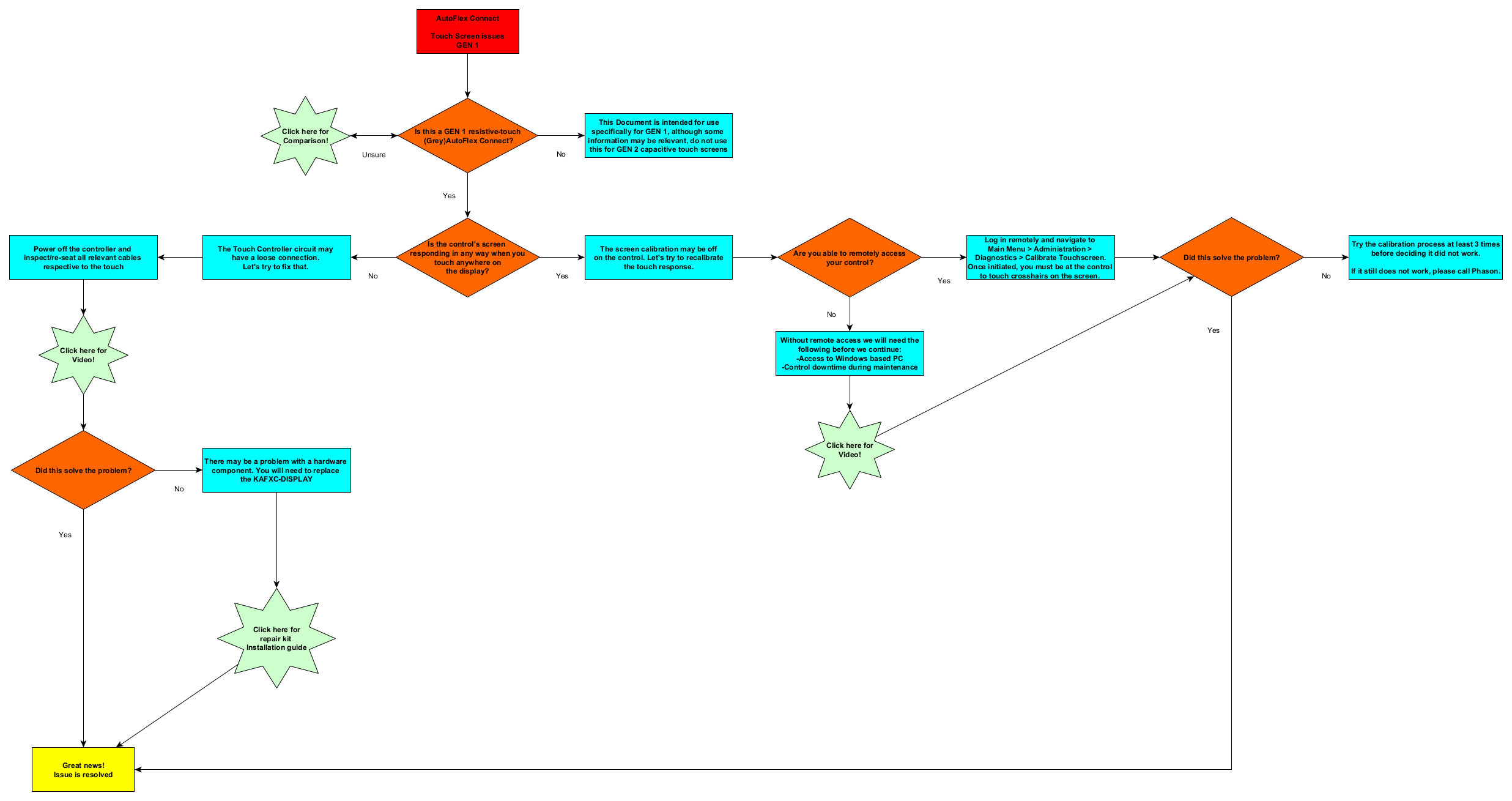
AutoFlex Connect
Touch Screen issues
GEN 1
Is this a GEN 1 resistive-touch
(Grey)AutoFlex Connect?
Click here for
Comparison!
This Document is intended for use
specifically for GEN 1, although some
information may be relevant, do not use
this for GEN 2 capacitive touch screens
Is the control's screen
responding in any way when you
touch anywhere on
the display?
The screen calibration may be off
on the control. Let's try to recalibrate
the touch response.
The Touch Controller circuit may
have a loose connection.
Let's try to fix that.
Are you able to remotely access
your control?
Power off the controller and
inspect/re-seat all relevant cables
respective to the touch
Click here for
Video!
Did this solve the problem?
There may be a problem with a hardware
component. You will need to replace
the KAFXC-DISPLAY
Great news!
Issue is resolved
Click here for
repair kit
Installation guide
Log in remotely and navigate to
Main Menu > Administration >
Diagnostics > Calibrate Touchscreen.
Once initiated, you must be at the control
to touch crosshairs on the screen.
Without remote access we will need the
following before we continue:
-Access to Windows based PC
-Control downtime during maintenance
Did this solve the problem?
Try the calibration process at least 3 times
before deciding it did not work.
If it still does not work, please call Phason.
Click here for
Video!
No
Yes
Unsure
Yes
No
No
Yes
Yes
No
Yes
No